

(This post is a followup to Unimatrix).
When we last left our heroes, the network switch had been installed, and parts were being ordered for what would be a pretty major build. I am no stranger to assembling computers by hand. (I built my first PC from parts sometime around 1992). I hadn't delved too far into enterprise gear yet, however. Turns out, it is just more of the same, and the old muscle memory works just fine. With one exception - PC PartPicker doesn't do much with enterprise parts, so I would be building this one the old fashioned way, lots of meticulous research.
My original plan was to build out two servers. One would handle all of the automation tasks, the security system, the media fetchers, and other various containers, services, and self hosted whatsits while the other would be tasked with the AI generation tasks. After all, the hardware they need for their given tasks is pretty dissimilar.
It made sense to me at the time, but the more I thought about it and priced out components, the more I started leaning towards a single bigger server. It would allow me to make use of idle resources, use more efficient power, and consolidate everything into a single place. It also meant a ton of software work, re-configuring all of my existing services. Joy.
| Part | Selection | Description |
|---|---|---|
| CPU0 | Epyc 7F52 | It is second hand from a datacenter pull, and a bit power hungry, but it was cheap and has 128 PCIe lanes. I will likely swap this out for a Milan chip next year when the used price comes down. |
| MOBO | Supermicro H12SSL-I | I like this board a lot. It has all sorts of fun features to play with. Being able to adjust bios settins in a web browser over the LAN with the server offline is really useful. Tons of room for expansion, and lots of connectivity. Shame about the lack of built in SFP+ ports, but we can add those. This was one of the few brand new parts I payed (almost) full price for, like a sucker. |
| RAM | 512gb (Half a Terb) DDR4-3200. | I got these used off eBay. Not cheap, but not too spendy. |
| GPU0 | GTX 1080ti | Frigate video decoding, Audio wake word detection from 17 camera feed audio streams, and two xtts servers. For an old guy, he does all right. This was the original 2nd GPU in Jim, before I picked up the second 3090. I picked it up used on eBay last summer. Still runs just fine. |
| GPU1 | EVGA RTX 3090 | This one is used for the LLM Inference Server (currently Ollama, but I swap it out for others based on need. I got it used for about $700 when I built Jim last year. I have it capped at 250W. It runs a bit slower, but makes very little noise and stays cool (around 38C most of the time). |
| GPU2 | Dell/Alienware RTX 3090 | This was also picked up used on eBay, to take strain off of the MSI card which doesn't handle high loads well. It handles the Graphics Inference Server (A1111, Comfy, Forge, or Swarm based on need). I also capped this one at 250W. |
| GPU3 | MSI RTX 3090 | This was purchased (also used) last year for Jim when I decided to upgrade to two GPUs. When I moved the AI tasks to Unimatrix, this card went with it. It works fine most of the time, but at significant loads (sustained 100% gpu load) it trips the power supply. I haven't gotten around to troubleshooting this yet, so currently, this guy only takes overflow load from the EVGA card. |
| SSD0 | Intel 1.92terb U.2 SAS Enterprise SSD SSDPF2KX019T9N | I didn't know what SAS or U.2 were before starting this build. Cool tech. The main reason I spent the extra on enterprise storage was sustained speeds and write cycles. |
| SSD1 | Intel 1.92terb U.2 SAS Enterprise SSD SSDPF2KX019T9N | I have two of these in a ZFS mirror for redundancy and read speeds. It absolutely flies. Combined with the fiber, moving big files around my network is very fast. |
| SSD2 | WD_BLACK SN850X 2000GB - M.2 NVME | I reluctantly picked up another SSD for model non-custom storage. Models are all easily replaceable from the Internet if I have a drive failure, and having lots of models (mirrored) on my U.2 drives was proving to be unsustainable. This is fast enough and reliable. |
| SSD3 | Samsung SSD 850 EVO 500GB - M.2 NVME | This was left over from a previous system, and still at 100% health. At only 1/2 Terb, it can't hold much, but it is plenty big to hold an extra copy of critical data. |
| SSD4 | Intel 60GB SATAIII SSDSC2CW060A3 | This was also just laying around collecting dust, so it is now providing a tiny amount of extra headroom. |
| NIC0 | Mellanox MCX312B (2x10gb/s) | This has two SFP+ ports, both have fiber running to Switch. Once I realized how fast these links were, I disconnected the Ethernet. You can get these used on eBay for a song. Upgrading from copper to fiber has never been cheaper. |
| PSP0 | 1200w Be Quiet Straight Power 12 ATX | I started the build with this one alone, but when I decided to add the third GPU, I knew this was never going to be enough. |
| PSP1 | 750w Seasonic SPX Focus-750 SPX | I added this guy before I even finished the initial build. I really like the SPX form factor. This guy is adorable. |
| FANS | 2x 180mm intake fans 1x 140mm exhaust behind the CPU 2x 80mm Noctua exhaust fans behind the PCI bay | the server runs pretty quietly. You can't hear the 180mm fans at all. When the load is high, you can hear the GPU fans over the case fans pretty easily. |
| CASE | Silverstone RM51 | The case was where I splurged. I wanted something rack mount, with slide rails, with enough verticality that I could load multiple GPUs (with their power connecors! sorry 4u cases) and still have a fairly 'neat' design. This case fit the bill, but the bill didn't fit my wallet very well. I do really like it, though. |
| UPS0 | APC SMX2000RMLV2UNC 200va Rack UPS | This can handle the power draw of the entire rack, and run everything for awhile in the case of a blip, or shut down non-essential systems and run just automation and security for about an hour and a half in the even of a blackout. This was used, but the battiers are new and should last a good while. |
| RACK | Tripp Lite 25U 4 Post Frame | I really only had one choice for the rack itself. My closet space is 21-1/2" wide. Unless I wanted to do drywalling, I needed something very narrow (Rack components are 19" wide, so this isn't a lot of wiggle room). Any others I found that would fit were cheaply made. I like this one enough. It is sturdy and holds all my gear. |
So, admittedly, that is a lot of machine. I saved a lot by being patient and acquiring the parts over the course of about a year, keeping my eye on the used market and buying when I saw good deals. I re-used a lot of parts from other systems as well. The only brand-spanking-new parts in the machine are the Case, Motherboard, Power Supplies and the two-terb NVME. Everything else was upcycled, reused, or purchased second hand.
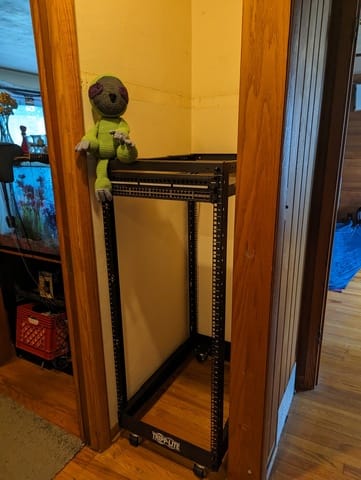
After a couple false starts (ordered the wrong casters for the rack - oops!) I got enough assembled to test fit into the closet. It was tight, but manageable. Satisfied, I took the rack out and primed and painted the walls, drilled a few holes, and installed brush plates. Then I got to work with running all of the cable (Covered briefly in the previous Unimatrix post).
I added Switch to the rack, along with the old network infrastructure (a UGS Pro gateway, a 24 port Unifi switch, and a Synology NAS). Finally, I installed the UPS and new UPS batteries. I am VERY glad I waited to put the batteries in until after I had racked the UPS. The rails were a bit of a pain to get locked in, and with the whole thing being over 100lbs, it was a bit much.
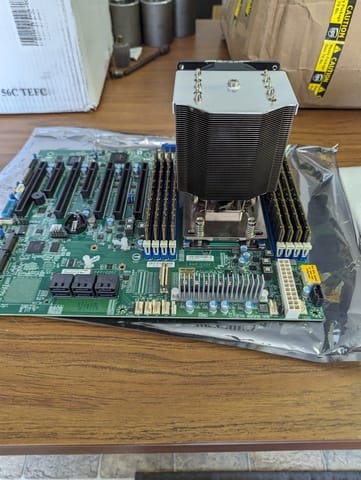
Once parts started arriving, assembly for Unimatrix itself went pretty quickly. I took my time and did everything the 'right way', more or less. Okay, I had some fun as well.
Making it rain, nerdy style.
The initial deployment looked a bit like this:
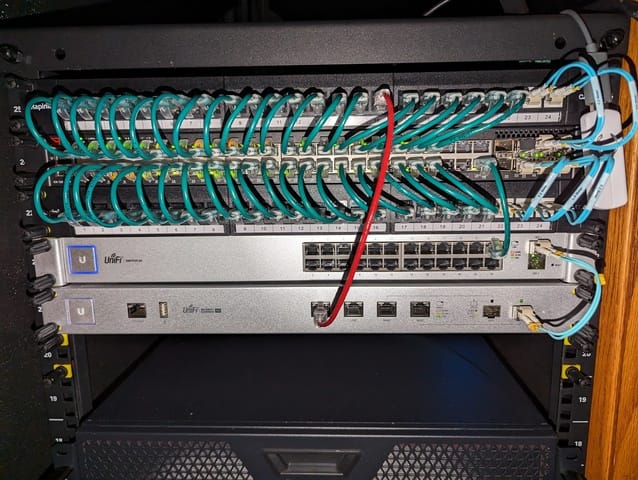
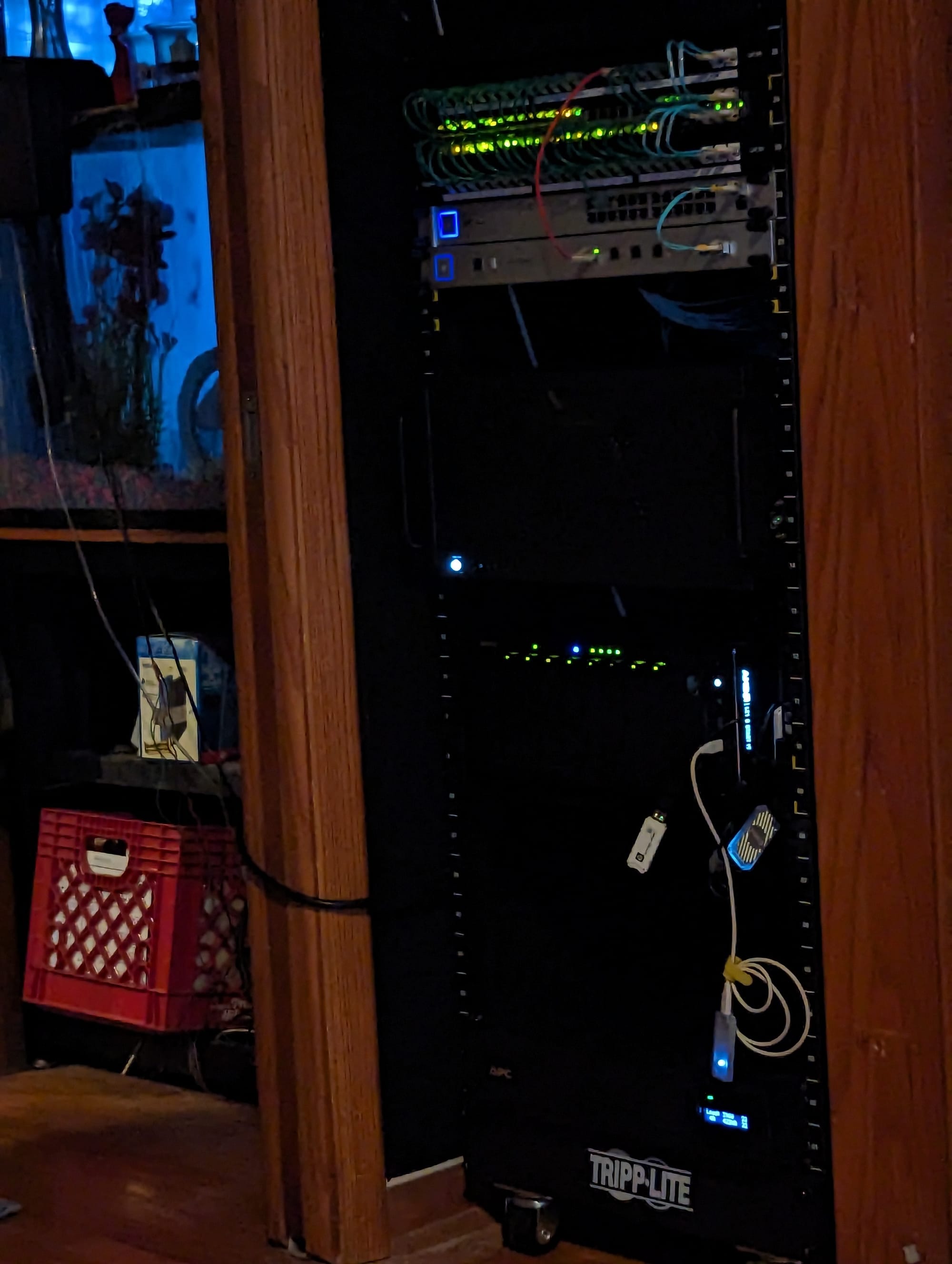
(2) 48 port patch panels straddling Switch, a 48p POE L3 Switch
Ubiquity 24p Switch
Ubiquity UGS-Pro
The green wires are all cat6a links to cameras, other stuff on the rack, and other computers in the house.
The blue wires are all 10g/s fiber connections. Mostly intra-rack, but there is one that goes under the floor and across the room to Jim, also.
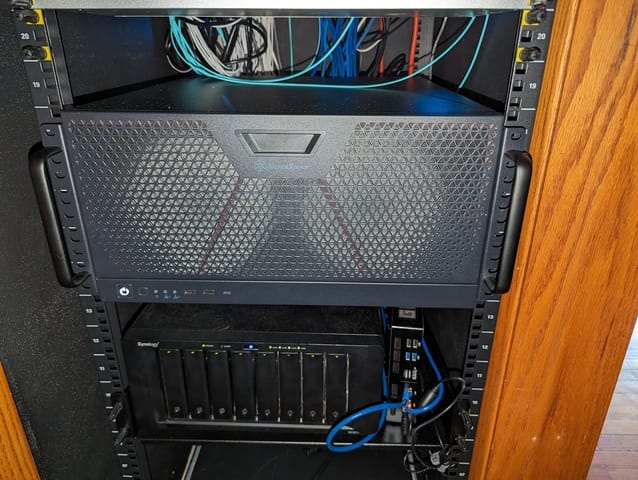
Next down are the servers. Pictured here are Unimatrix (top), Tubs (bottom left) and House (bottom right). This picture was taken during the build process, house has since had all of its services moved to Unimatrix and was decommissioned. It is now a backup Proxmox node in another room.
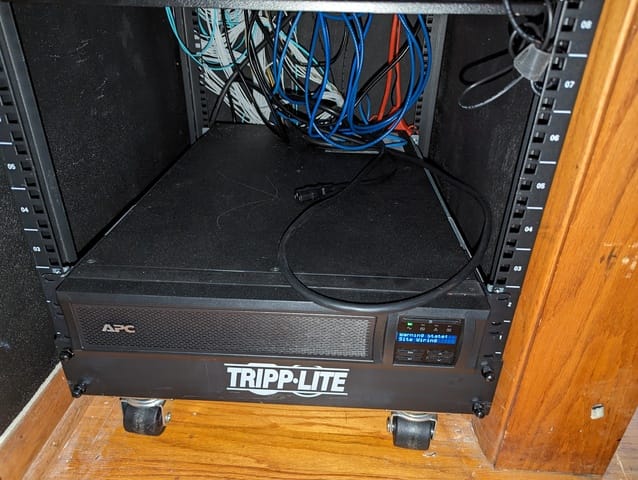
At the bottom is the UPS and some room to grow. Since these pictures were taken, the wires have been cleaned up a lot, and Unimatrix and Tubs switched spots to give Unimatrix some more head room.
Stay tuned for our next exciting installment when I will cover software choices, structure, and final touches.

Member discussion: