
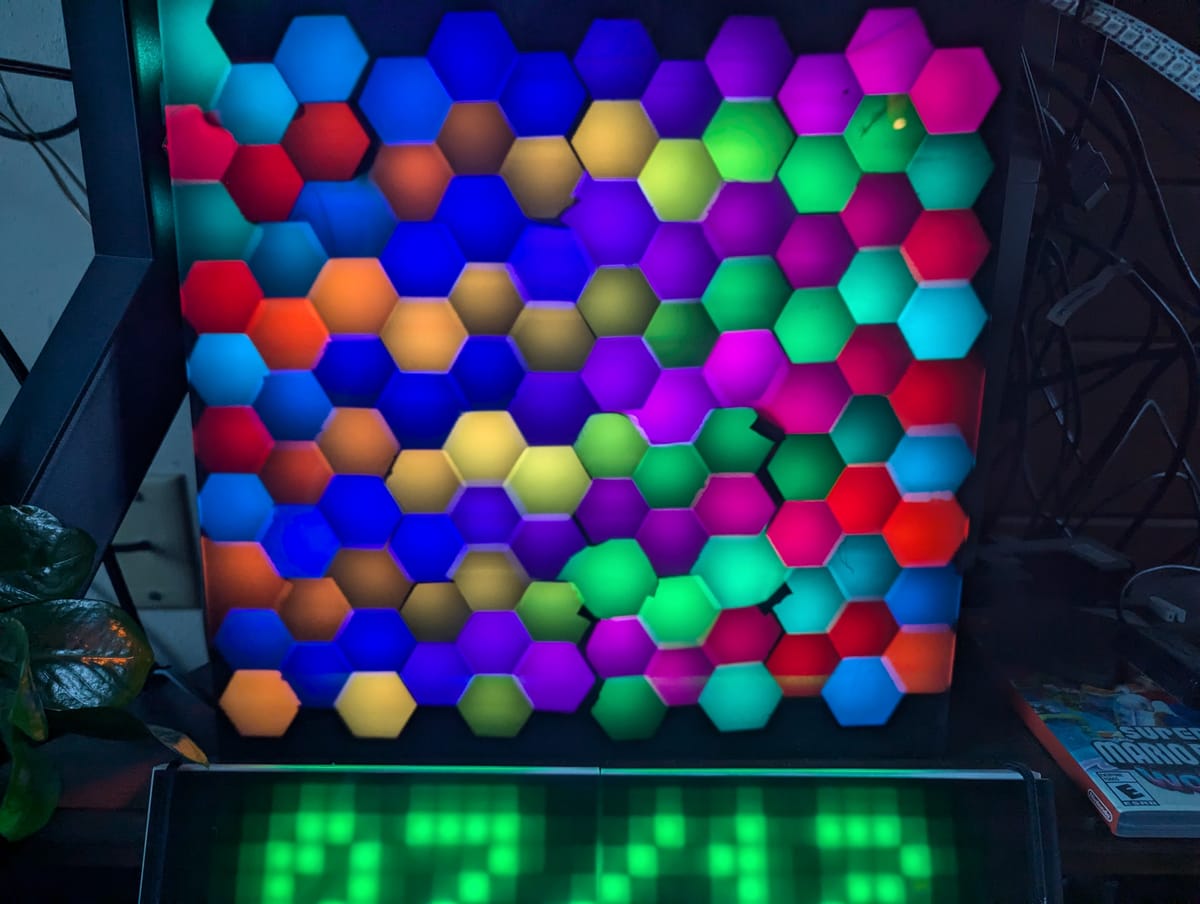
I made this one right after the circle light. They are very similar in a lot of ways. They both used 3d printed stencils to shape the light between the led and the diffuser, they both used pre-made LED fixtures (Circle used LED Rings, and this one uses strips) and they both use the same black acrylic diffuser material.
Good amount of brightness, despite still being daylight.
I started with a 1 sqft sheet of heavy cardboard. (we had recently replaced a refrigerator, and I was finding all sorts of projects to make with the box that it came in!) I glued led strips in parallel rows vertically on the cardboard, then went to work arranging the stencils.
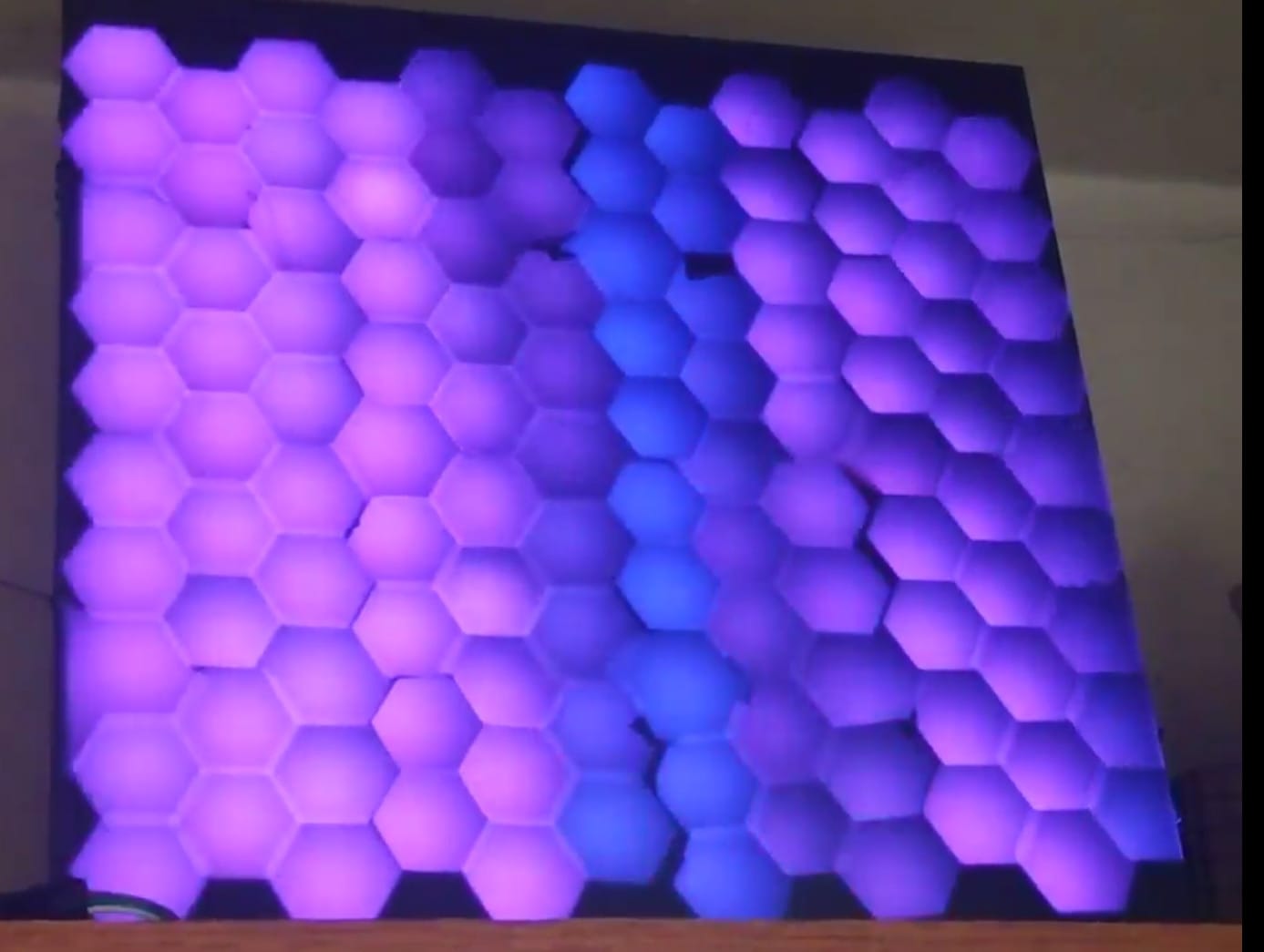
The stencils in this one are a series of interlocking hexagons that I printed and hot glued onto the cardboard in a honeycomb pattern. I made sure when laying the LEDs and honeycomb that they would form a hexagon grid shape without too much messing around. Here is a shot from before I got the black acrylic in. The diffuser here is just packing foam with a piece of plexiglass on top. You can see the hot spots from the LEDs Still, the colors come through really well and the separation is near perfect.
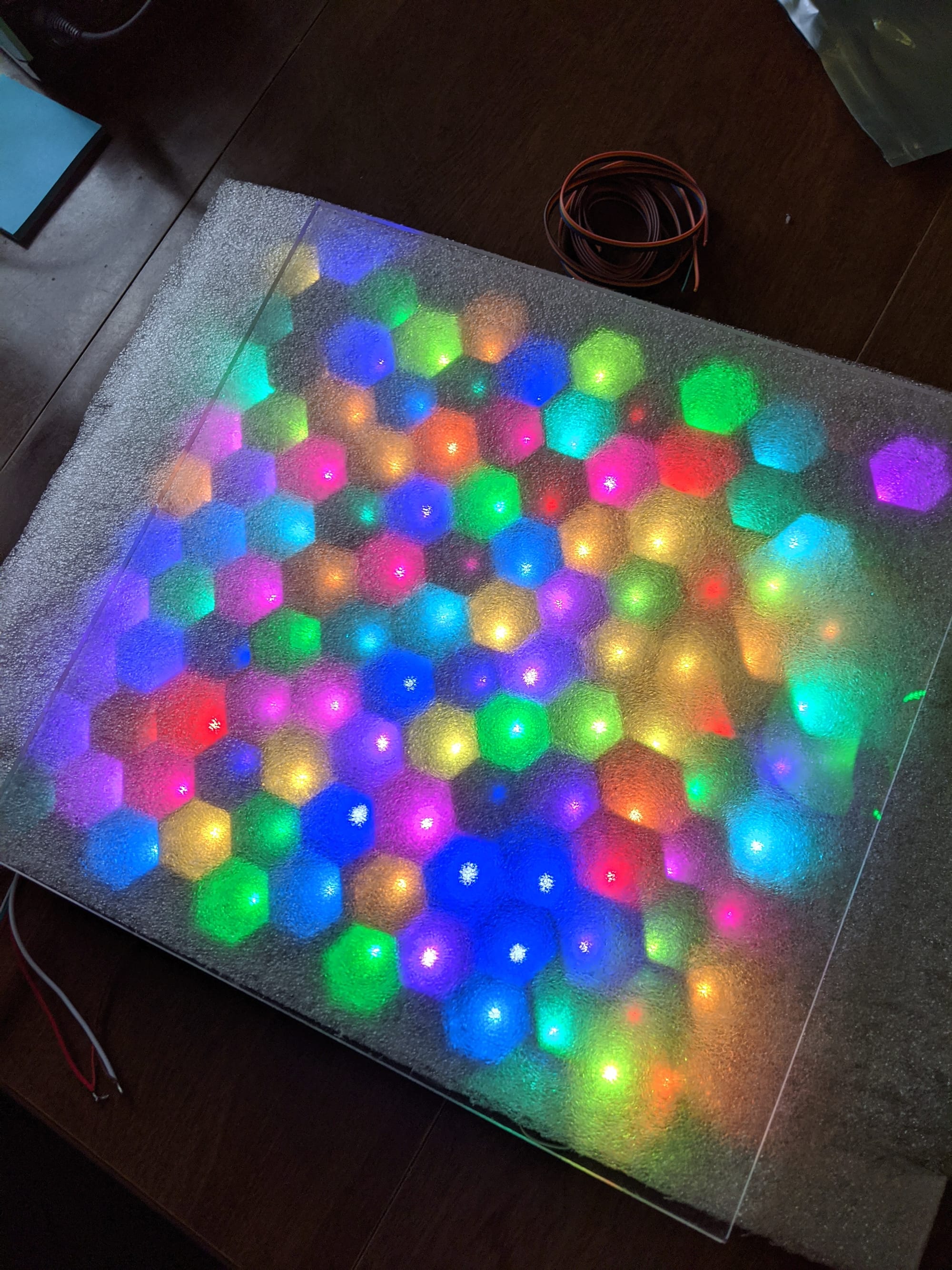
The end result is simple looking until you start watching it move. The effects on this one can be pretty mesmerizing.
Excuse the bit of tape I forgot to remove before making the video
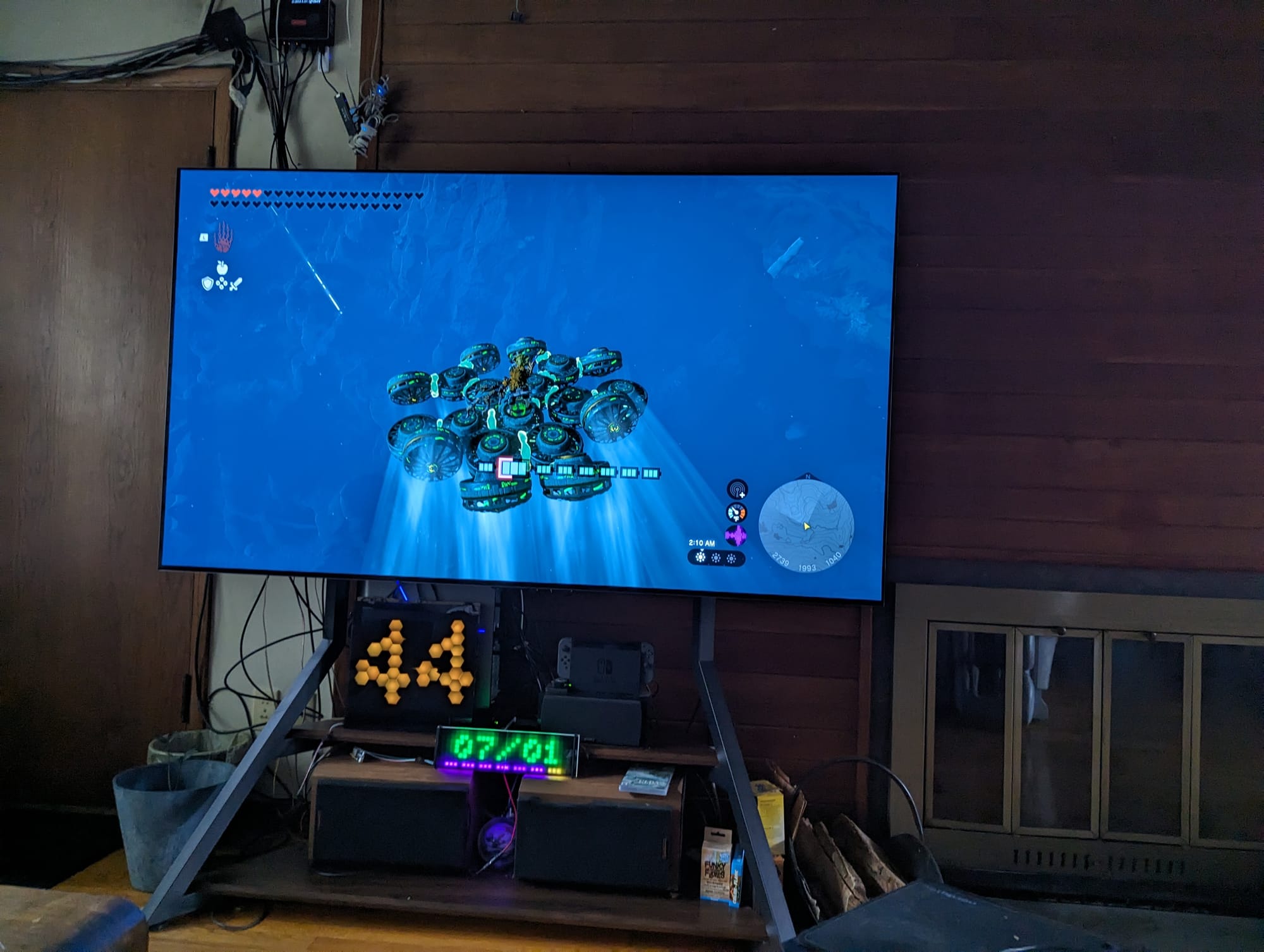
While it started out just doing simple strip effects, I eventually reprogrammed this one to do 2d matrix effects as well. That came in handy about two years ago. We had replaced our TV and the new one doesn't put the volume as an integer on the screen like our old one did. I missed that functionality, so I re-implemented it on Honeycomb, which now rests below our screen. When I hit the volume up or down button on the remote, the TV (a WebOS OLED) executes a shell script tied to the button. That shell script calls a web hook in Home Assistant, which increments or decrements the volume sensor, which is then displayed on Honeycomb in matrix mode for about 3 seconds before it returns to whatever it was doing before. Works pretty well!
I like this one, although the zig-zag nature of the led strip runs make a lot of pre-built effects somewhat lackluster on it. If you take that into account, however, you can make it do some neat stuff.
As sample of a couple effects.
This article is part of a series on LED Art as I attempt to document all of the different LED projects I have built over the years.
More will be added as time goes on. The list of currently available articles can be found here: https://dzw.zentormey.com/tag/leds/

Member discussion: